✦ v0.7.6 — Now in active development

Mira

Your notes. Intelligently connected.

The AI-native note-taking app with deep Claude chat right inside every note.
Local. Fast. Your data stays yours.

⬇ WindowsSoon ⬇ LinuxSoon
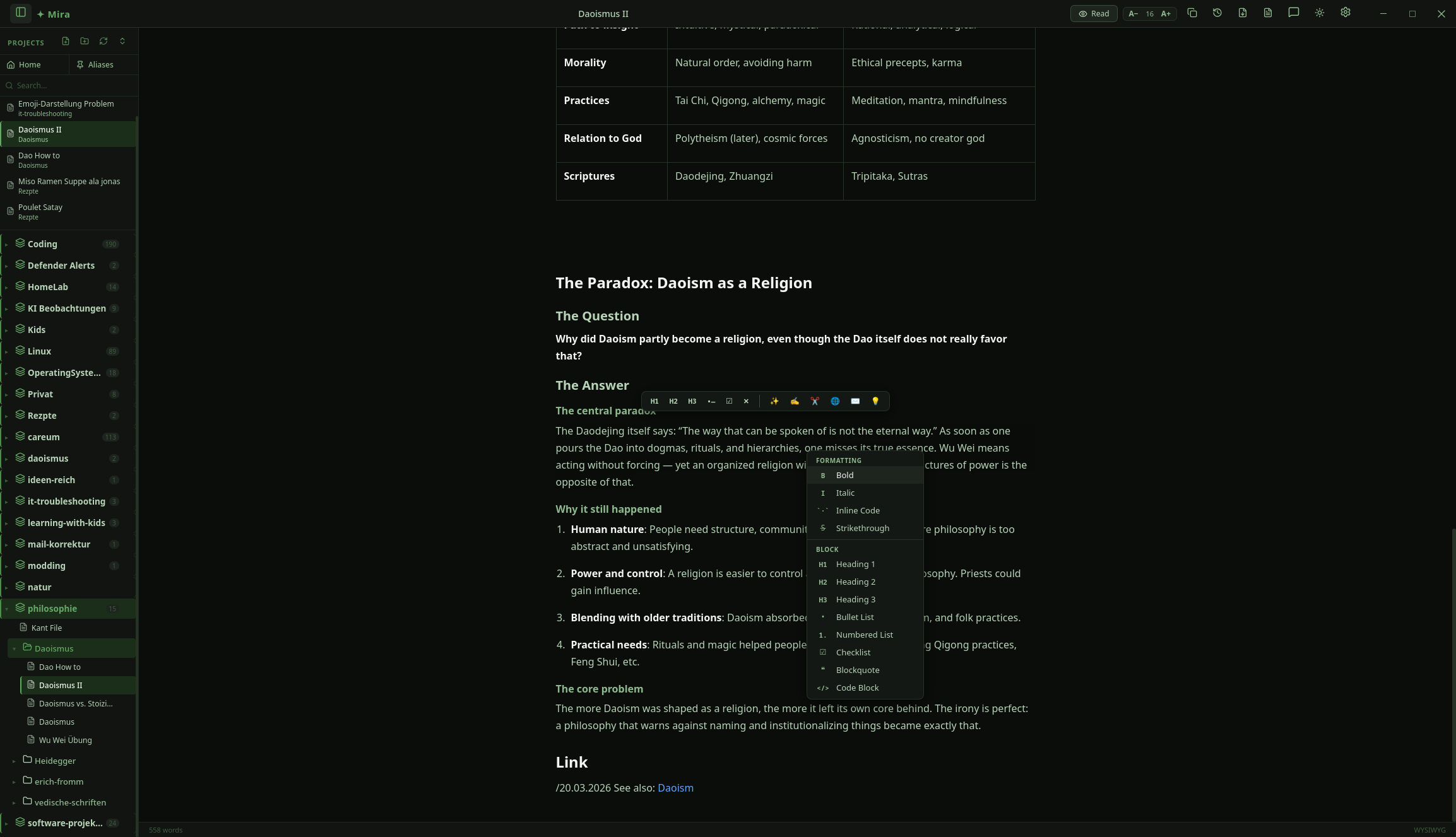
Mira app — 3-panel layout with AI chat

More than a notebook. Your thinking partner.

Mira is a desktop app that fuses Markdown notes with real AI intelligence. No browser. No cloud. Just you, your thoughts, and Claude.

🗂️

Organize Everything

Projects, notes, subfolders. Your structure, your rules. Aliases, Home Note, and a vault that works like you think.

AI in Every Note

Claude reads your note's context and helps you write, structure, and research — right inside the app. No copy-paste.

🔒

Local & Private

Your files are plain Markdown on disk. No account required. No subscription. No lock-in. Bring your own Claude API key.

Built for deep work.

AI-Powered

Your AI assistant knows your note

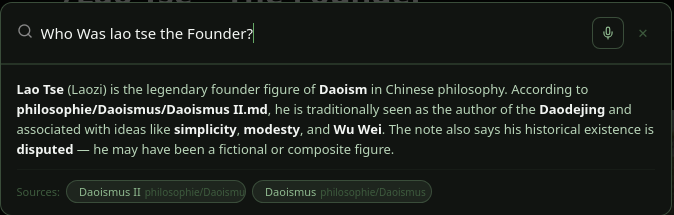
Mira opens a chat panel right next to every note. Claude reads your context, helps you write, answers questions, and can even edit the note directly. No more switching between your app and ChatGPT.

Claude receives your note content, project memory, and attachments — then responds with structured actions that Mira executes safely.

<!-- Claude responds with structured tags -->
<note_update>
Here's your improved draft with clearer
structure and added context references.
</note_update>

<create_note filename="research-notes.md">
Key findings from our analysis...
</create_note>

AI = Planner (responds with tags) · Rust Backend = Executor (applies changes securely)

Editor

Write the way you like

Switch between edit and read mode with Ctrl+E. Full Markdown with live preview, syntax highlighting in 297 languages, tables, checklists, and code blocks.

WYSIWYG-style editing in a pure Markdown file. No weird formats. Just clean, portable text.

# Meeting Notes
## Q2 Planning

- Ship Mira v0.8
- Linux installer
- Plugin API design

\`\`\`python
def mira_is():
    return "awesome"
\`\`\`
Productivity

Everything at your fingertips

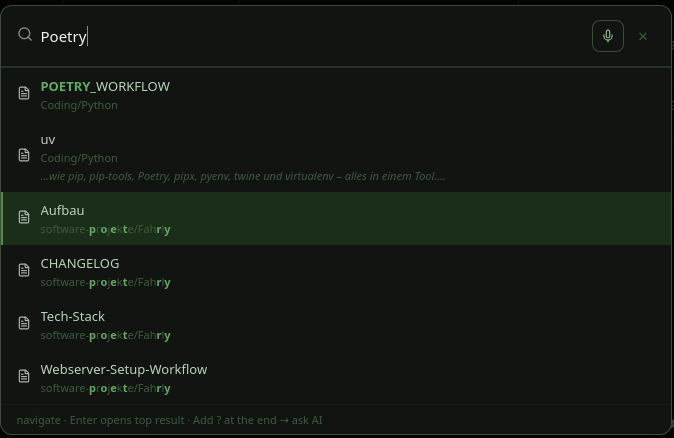
Press Ctrl+K to search notes, open files, or run AI tasks — "Write a summary of X" or "Create a new note about Y". Lightning fast.

Your hands never leave the keyboard. Think, type, act — all in one flow.

⌘K Create note about Q3 goals
Type a command or search…
Personalization

Your setup, your look

Choose from 9 carefully designed themes: Dark, Light, Nord, Mocha, Latte, Golden, Dracula, Ocean, Classic. Syntax highlighting colors adapt automatically.

Every theme is hand-crafted — not auto-generated. Consistent, beautiful, readable.

Dark
Dracula
Ocean
Nord
Mocha
Golden
Latte
Light
Classic
Organization

Structure your vault your way

Define aliases for frequently used notes — todo, inbox, journal — and let the AI write to them directly. The Home Note is your personal dashboard, always open on launch.

# .project.md — Project Memory
aliases:
  todo: tasks.md
  inbox: inbox.md
  journal: journal.md
  home: home.md

# AI can target them directly
"Add a task to my todo"
"Log today's entry to journal"
Safety

Nothing is ever lost

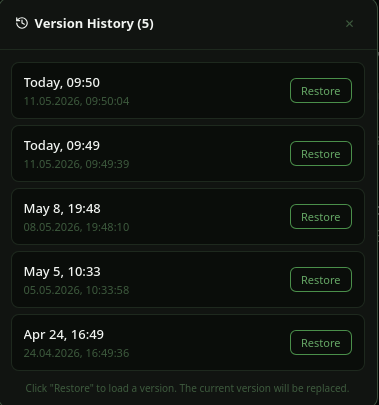
Before every AI change, Mira automatically creates a backup. Browse through the last 5 versions and restore any of them with a single click.

Experiment fearlessly. Your writing is safe, always.

v514:32
v414:28
v314:15
v214:02
v113:48
Input

Dictate your thoughts

Hold Shift+Space (or click the microphone icon) and dictate directly into your note or the AI chat. Whisper-powered, accurate, and offline-capable with your own OpenAI key.

🎤

Hold Shift + Space to start

Media

Paste. Drop. Done.

Paste screenshots with Ctrl+V, upload PDFs, and have Claude analyze them directly. Images are stored locally and embedded automatically. Drag-and-drop everything.

📸
image.png
📄
report.pdf

Drag, paste, or select — Mira handles the rest

Three steps to deeper thinking

1

Create projects & notes

Like folders on your desktop — just smarter. Set up project memory, aliases, and your home dashboard.

2

Write in Markdown

Or let Mira write for you. Full editor with live preview, syntax highlighting, and AI assistance.

3

Ask Mira

Your AI knows your notes and helps you think deeper. Chat, edit, and explore — all in one place.

Safe by design.

Mira's AI uses structured XML tags instead of shell commands. The Rust backend validates and executes — your system stays protected.

Frontend
Svelte
Collects context
Backend
Rust / Tauri
Parses XML tags
AI
Claude API
XML-tagged responses
Filesystem
.md files
Your notes, local

No shell execution · Sandboxed to notes directory · Backend validates all operations

Ship it right.

Desktop first. The foundation ships when it's ready — then we expand.

1

Desktop

Windows · Linux

In active development. The full Mira experience — local, fast, AI-powered.

2

macOS

Apple Silicon · Intel

Native macOS build following the desktop launch. Same codebase, same experience.

3

Mobile

iOS · Android

Capture thoughts on the go. Seamless sync with your desktop vault.

Your data belongs to you. Full stop.

All notes as plain Markdown on your disk
No account required
No subscription, no lock-in
Bring your own Claude API key
Open source on GitHub
Windows & Linux · macOS & mobile on the way

Releases are around the corner.

Mira is in active development. Star the repo to follow along — Windows and Linux builds drop first.

v0.7.6 · MIT License · GitHub